Contenu cellules et listbox

Bonjour à tous,

Je n'arrive pas à afficher les différents cellules dans la listBox

Je procède comme suit:

Private Sub ComboBox2_Change()
ListBox1.Clear

'Option Explicit
With Sheets("Opérations").Activate

Dim i As Long

For i = 2 To 1000

If Cells(i, 2).Value = Me.ComboBox2.Text Then

Me.ListBox1.AddItem Cells(i, 2).Value

Me.ListBox1.List(Me.ListBox1.ListCount - 1, 1) = Cells(i, 1).Value
Me.ListBox1.List(Me.ListBox1.ListCount - 1, 2) = Cells(i, 3).Value
Me.ListBox1.List(Me.ListBox1.ListCount - 1, 3) = Cells(i, 4).Value
Me.ListBox1.List(Me.ListBox1.ListCount - 1, 4) = Cells(i, 5).Value
Me.ListBox1.List(Me.ListBox1.ListCount - 1, 5) = Cells(i, 6).Value
Me.ListBox1.List(Me.ListBox1.ListCount - 1, 6) = Cells(i, 7).Value
Me.ListBox1.List(Me.ListBox1.ListCount - 1, 7) = Cells(i, 8).Value
Me.ListBox1.List(Me.ListBox1.ListCount - 1, 8) = Cells(i, 9).Value
Me.ListBox1.List(Me.ListBox1.ListCount - 1, 9) = Cells(i, 10).Value

'End If
Next i
End With
End Sub
19project-copie.xlsm (53.00 Ko)

Le but final étant de pouvoir sélectionner une ligne de ma listbox, d'en afficher les informations dans un userform et d'imprimer une facture par la suite .

En piece jointe le fichier

D'avance merci,
Hello,

Private Sub ComboBox2_Change()
ListBox1.Clear

'Option Explicit
With Sheets("Opérations").Activate

Dim i As Long

For i = 2 To 1000

If Cells(i, 2).Value = Me.ComboBox2.Text Then

Me.ListBox1.AddItem Cells(i, 2).Value

Me.ListBox1.List(Me.ListBox1.ListCount - 1, 1) = Cells(i, 1)
Me.ListBox1.List(Me.ListBox1.ListCount - 1, 2) = Cells(i, 3)
Me.ListBox1.List(Me.ListBox1.ListCount - 1, 3) = Cells(i, 4).Value
Me.ListBox1.List(Me.ListBox1.ListCount - 1, 4) = Cells(i, 5).Value
Me.ListBox1.List(Me.ListBox1.ListCount - 1, 5) = Cells(i, 6).Value
Me.ListBox1.List(Me.ListBox1.ListCount - 1, 6) = Cells(i, 7).Value
Me.ListBox1.List(Me.ListBox1.ListCount - 1, 7) = Cells(i, 8).Value
Me.ListBox1.List(Me.ListBox1.ListCount - 1, 8) = Cells(i, 9).Value
Me.ListBox1.List(Me.ListBox1.ListCount - 1, 9) = Cells(i, 10).Value

End If
Next i

End With
End Sub

Bonjour Thomas et

Ce sera mieux comme ça

Private Sub ComboBox2_Change()
  Dim dLig As Long, Lig As Long
  Dim Lbx As ListBox
  ' Définir l'objet Listbox
  Set Lbx = Me.ListBox1
  With Lbx
    .Clear
    .ColumnCount = 10
    .ColumnWidths = "100;100;100;50;100;20;20;30;20;20"
  End With
  ' Avec la feuille source
  With Sheets("Opérations")
    ' Dernière ligne remplie
    dLig = .Range("A" & Rows.Count).End(xlUp).Row
    ' Pour chaque ligne
    For Lig = 2 To dLig
      If Cells(Lig, 2).Value Like Me.ComboBox2.Text & "*" Then
        Lbx.AddItem Cells(Lig, 2).Value
        Lbx.List(Lbx.ListCount - 1, 1) = .Cells(Lig, 1)
        Lbx.List(Lbx.ListCount - 1, 2) = .Cells(Lig, 3)
        Lbx.List(Lbx.ListCount - 1, 3) = .Cells(Lig, 4).Value
        Lbx.List(Lbx.ListCount - 1, 4) = .Cells(Lig, 5).Value
        Lbx.List(Lbx.ListCount - 1, 5) = .Cells(Lig, 6).Value
        Lbx.List(Lbx.ListCount - 1, 6) = .Cells(Lig, 7).Value
        Lbx.List(Lbx.ListCount - 1, 7) = .Cells(Lig, 8).Value
        Lbx.List(Lbx.ListCount - 1, 8) = .Cells(Lig, 9).Value
        Lbx.List(Lbx.ListCount - 1, 9) = .Cells(Lig, 10).Value
      End If
    Next Lig
  End With
  ' Effacer la variable objet
  Set Lbx = Nothing
End Sub

@+

Edit : oups, salut rag2700

Bonjour Merci pour la réponse, mais ça n'a pas marché.

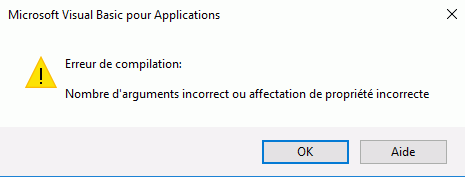
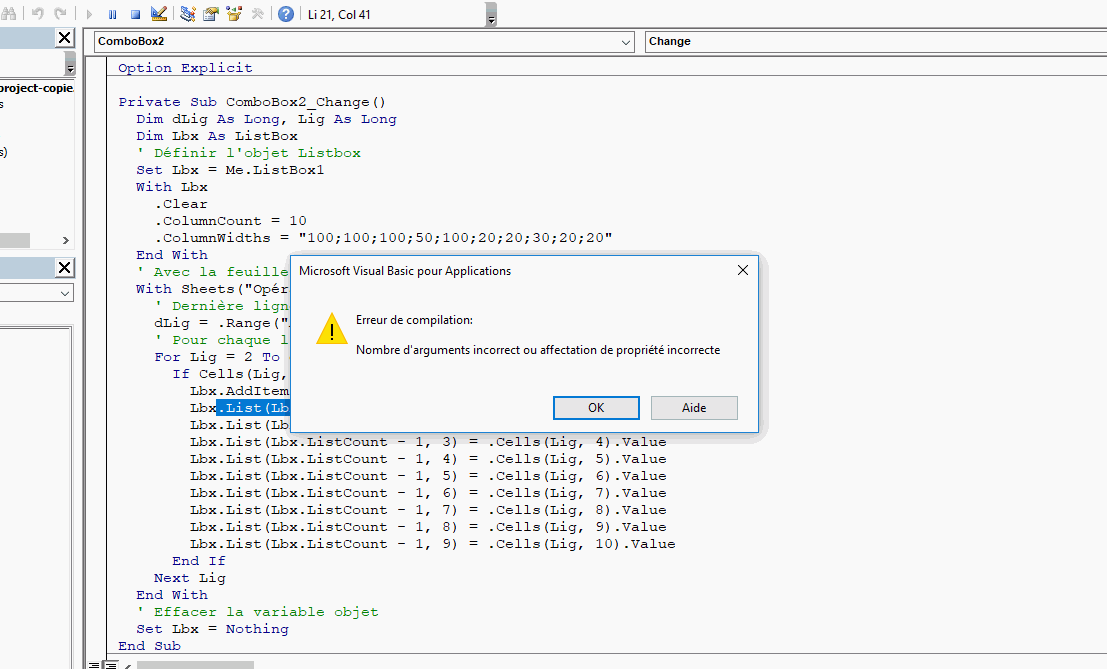
Le message ci-dessous s'affiche :

capture

Hello Thomass, BrunoM45,

Quelle réponse ne fonctionne pas ?

ReBoujour ,

Les deux réponses malheureusement.

La première ne résout pas le problème.

La deuxième affiche l'erreur suivante :

capture

Re,

Thomas, je vais vous démontrer que si

@+

Edit : fichier changé

Merci @BrunoM45, mais le probleme est tjrs la :

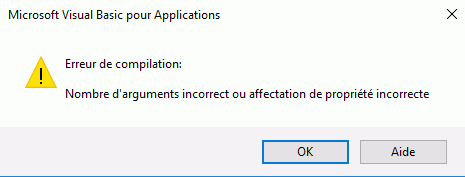
captuere

Re,

Désolé, la déclaration de l'objet à changé et je ne sais pas pourquoi

Il faut mettre

Dim Lbx As MSForms.ListBox

@+

Done, Merci Beaucoup BrunoM45 !

Rechercher des sujets similaires à "contenu listbox"