Mise en page et clearFormats dans Worksheet_change
Salut à tous,
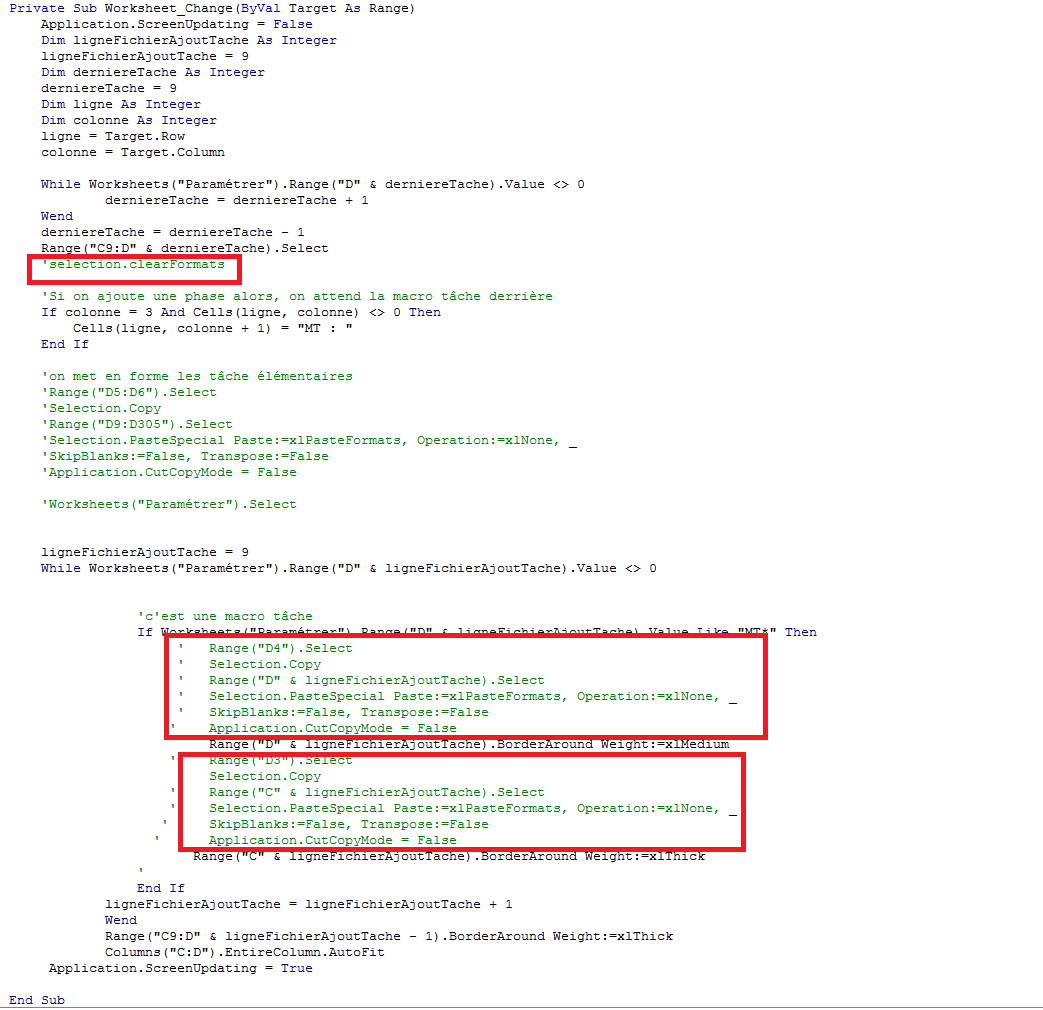
Je ne parviens pas à comprendre pourquoi j'ai des erreurs d'incompatibilité de range et de problèmes de piles et d'automates déconnectés quand je suis sur ce code. Je vous donne le code ici. C'est les parties rouges qui le font beuguer quand je veux les faire fonctionner.
Merci de votre aide!
Bonjour,
s.v.p. insérer entre les balises "Code" tous les lignes votre macro Worksheet_Change,
une image de votre code n'est pas très utile lorsque l'on cherche un erreur. merci! de nous aider à vous aider.
Voila!
Private Sub Worksheet_Change(ByVal Target As Range)
    Application.ScreenUpdating = False
    Dim ligneFichierAjoutTache As Integer
    ligneFichierAjoutTache = 9
    Dim derniereTache As Integer
    derniereTache = 9
    Dim ligne As Integer
    Dim colonne As Integer
    ligne = Target.Row
    colonne = Target.Column

    While Worksheets("Paramétrer").Range("D" & derniereTache).Value <> 0
            derniereTache = derniereTache + 1
    Wend
    derniereTache = derniereTache - 1
    Range("C9:D" & derniereTache).Select
    'selection.clearFormats

    'Si on ajoute une phase alors, on attend la macro tâche derrière
    If colonne = 3 And Cells(ligne, colonne) <> 0 Then
        If Cells(ligne, colonne + 1) Like "MT*" Then
            MsgBox "Attention, vous venez de modifier la phase d'une macro-tâche, veuillez la remettre à sa valeur avant de quitter la feuille"
        ElseIf Cells(ligne, colonne + 1) Like "?*" Then
            MsgBox "Attention, vous ne pouvez pas mettre une phase sur une tâche élémentaire"
            Cells(ligne, colonne) = ""
        Else
        Cells(ligne, colonne + 1) = "MT : "

        End If
    End If
    'on met en forme les tâche élémentaires
    'Range("D5:D6").Select
    'Selection.Copy
    'Range("D9:D305").Select
    'Selection.PasteSpecial Paste:=xlPasteFormats, Operation:=xlNone, _
    'SkipBlanks:=False, Transpose:=False
    'Application.CutCopyMode = False

    'Worksheets("Paramétrer").Select

    ligneFichierAjoutTache = 9
    While Worksheets("Paramétrer").Range("D" & ligneFichierAjoutTache).Value <> 0

                'c'est une macro tâche
                If Worksheets("Paramétrer").Range("D" & ligneFichierAjoutTache).Value Like "MT*" Then
                        Worksheets("Paramétrer").Range("D" & ligneFichierAjoutTache).Select
                        mettreFormeMT ("D" & ligneFichierAjoutTache)

                     '   Range("D4").Select
                     '   Selection.Copy
                     '   Range("D" & ligneFichierAjoutTache).Select
                     '   Selection.PasteSpecial Paste:=xlPasteFormats, Operation:=xlNone, _
                     '   SkipBlanks:=False, Transpose:=False
                    '    Application.CutCopyMode = False
                         Range("D" & ligneFichierAjoutTache).BorderAround Weight:=xlMedium
                    '    Range("D3").Select
                     '   Selection.Copy
                    '    Range("C" & ligneFichierAjoutTache).Select
                    '    Selection.PasteSpecial Paste:=xlPasteFormats, Operation:=xlNone, _
                   '     SkipBlanks:=False, Transpose:=False
                  '      Application.CutCopyMode = False
                    Worksheets("Paramétrer").Range("C" & ligneFichierAjoutTache).Select
                        mettreFormePhase ("C" & ligneFichierAjoutTache)
                       Range("C" & ligneFichierAjoutTache).BorderAround Weight:=xlThick
                '
                End If
            ligneFichierAjoutTache = ligneFichierAjoutTache + 1
            Wend
            Range("C9:D" & ligneFichierAjoutTache - 1).BorderAround Weight:=xlThick
            Columns("C:D").EntireColumn.AutoFit
     Application.ScreenUpdating = True
     Cells(ligne, colonne).Select

End Sub
merci
Bonjour,
une proposition à étudier.
Bon week-end.
Option Explicit

Private Sub Worksheet_Change(ByVal Target As Range)
Dim ws As Worksheet
Dim lngDT As Long, lngLAT As Long
Dim lCol As Long, lRow As Long

    On Error GoTo err_Handler

    Application.ScreenUpdating = False
    Application.EnableEvents = False

    Set ws = ActiveWorkbook.Worksheets("Paramétrer")
    lngDT = 9: lngLAT = 9
    lRow = Target.Row: lCol = Target.Column

    While ws.Range("D" & lngDT).Value <> 0
        lngDT = lngDT + 1
    Wend
    lngDT = lngDT - 1
    Range("C9:D" & lngDT).ClearFormats

    If lCol = 3 Then
        Select Case True
            Case Cells(lRow, lCol + 1) Like "MT*"
                MsgBox "Attention, vous venez de modifier la phase d'une macro-tâche." & Chr(10) _
                       & "Veuillez la remettre à sa valeur avant de quitter la feuille."
            Case Cells(lRow, lCol + 1) Like "?*"
                MsgBox "Attention, vous ne pouvez pas mettre une phase sur une tâche élémentaire"
                Cells(lRow, lCol) = ""
            Case Else
                Cells(lRow, lCol + 1) = "MT : "
        End Select
    End If

    Range("D5:D6").Copy
    Range("D9").PasteSpecial Paste:=xlPasteFormats
    Application.CutCopyMode = False

    While ws.Cells(lngLAT, 4).Value <> 0
        If ws.Cells(lngLAT, 4).Value Like "MT*" Then
            mettreFormeMT Cells(lngLAT, 4)
            Cells(4, 4).Copy
            Cells(lngLAT, 4).PasteSpecial Paste:=xlPasteFormats
            Application.CutCopyMode = False
            Cells(lngLAT, 4).BorderAround Weight:=xlMedium
            Cells(3, 4).Copy
            Cells(lngLAT, 3).PasteSpecial Paste:=xlPasteFormats
            Application.CutCopyMode = False
            mettreFormePhase Cells(lngLAT, 3)
            Cells(lngLAT, 3).BorderAround Weight:=xlThick
        End If
        lngLAT = lngLAT + 1
    Wend
    Range("C9:D" & lngLAT - 1).BorderAround Weight:=xlThick
    Columns("C:D").EntireColumn.AutoFit

exit_Handler:
    Application.EnableEvents = True
    Exit Sub

err_Handler:
    MsgBox "Erreur : " & Err.Number & vbLf & Err.Description
    Resume exit_Handler

End SubCode essayé ce matin mais toujours un petit problème :/
Je peux vous transmettre le fichier excel en entier si vous le souhaitez
Par curiosité, à quoi sert Application.EnableEvents = False?
Merci de votre aide

Bonjour,
Merci de joindre un fichier à ta demande.
Cdlt.
J'ai réessayer ce matin et ça marche. Il fallait juste mettre en false le enable event pour pas que les procédures s'entrecroisent! Merci!!