J'ai trouvé la solution !
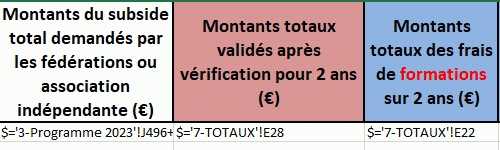
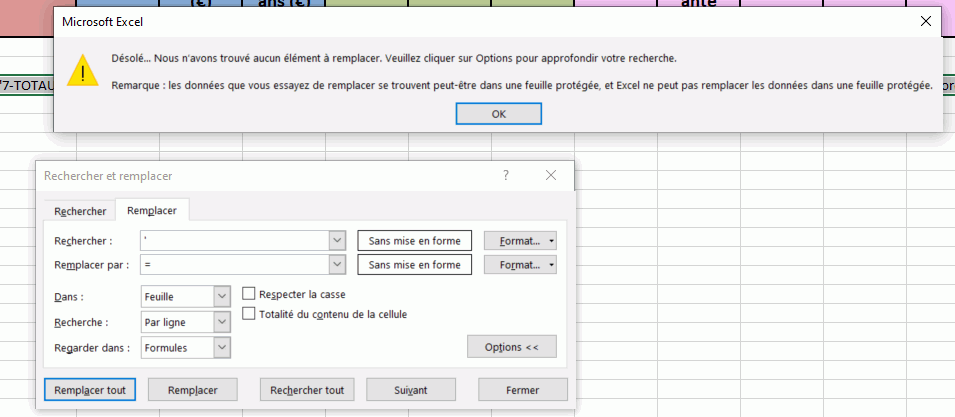
Plutôt que de forcer l'enlèvement des espaces, j'ai utilisé une macro qui enlève l'apostrophe en début de cellule :-D
Comment supprimer l'apostrophe principale des nombres dans Excel? (extendoffice.com)
Par contre le code est
'Updateby20150521
donc cela ne marche apparemment pas avec la fonction CONCAT car elle est apparue en 2016.
Savez-vous si on peut enlever cet "updated" ou mettre une autre date afin de tenir compte de cette nouvelle fonction tout en gardant la macro fonctionnelle ?
Sub remove_Apostrophe()
'Updateby20150521
Dim rng As Range
Dim WorkRng As Range
On Error Resume Next
xTitleId = "KutoolsforExcel"
Set WorkRng = Application.Selection
Set WorkRng = Application.InputBox("Range", xTitleId, WorkRng.Address, Type:=8)
Set WorkRng = WorkRng.SpecialCells(xlCellTypeConstants, xlNumbers)
For Each rng In WorkRng
    If Not rng.HasFormula Then
        rng.Formula = rng.Value
    End If
Next
End Sub
Merciiiii ^_^