Merci bcp cela fonctionne, mais je bloque a la suite, voici mon code adaptée
Dim fd As FileDialog
Dim FileName As String
Set fd = Application.FileDialog(msoFileDialogFilePicker)
With fd
.Filters.Clear
.Filters.Add "Fichiers Texte", "*.csv"
.Title = "Sélectionnez le document"
.InitialFileName = "C:\Users\Toto\Downloads" & "\order_*.csv"
End With
If fd.Show = True Then FileName = fd.SelectedItems(1)
If Not fd Is Nothing Then Set fd = Nothing
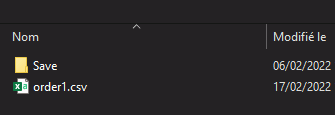
Le fenêtre montre bien que les fichiers demandées, mais la suite de mon code est
4 lignes que j'ai mais en commentaire
'ChDir "D:\Telechargement" 'te place dans le répertoire "TonRep"
'Dim F As Variant
'F = Application.GetOpenFilename("csv Files (order*.csv), order.csv")
'If F = False Then Exit Sub
With ActiveSheet.QueryTables.Add(Connection:= _
"TEXT;" & F, Destination _
:=Range("$A$1"))
.FieldNames = True
.RowNumbers = False
.FillAdjacentFormulas = False
.PreserveFormatting = True
.RefreshOnFileOpen = False
.RefreshStyle = xlInsertDeleteCells
.SavePassword = False
.SaveData = True
.AdjustColumnWidth = True
.RefreshPeriod = 0
.TextFilePromptOnRefresh = False
.TextFilePlatform = 65001
.TextFileStartRow = 1
.TextFileParseType = xlDelimited
.TextFileTextQualifier = xlTextQualifierDoubleQuote
.TextFileConsecutiveDelimiter = False
.TextFileTabDelimiter = False
.TextFileSemicolonDelimiter = False
.TextFileCommaDelimiter = True
.TextFileSpaceDelimiter = False
.TextFileColumnDataTypes = Array(1, 1, 1, 1, 1, 1, 1, 1, 1, 1, 1, 1, 1, 1, 1, 1, 1, 1, 1, 1, 1, _
1, 1, 1, 1, 1, 1, 1, 1, 1, 1, 1, 1, 1, 1, 1, 1, 1, 1, 1, 1, 1, 1, 1, 1, 1, 1, 1, 1, 1, 1, 1, 1, 1, 1, 1, 1, 1, 1, 1, 1 _
, 1, 1, 1, 1, 1, 1, 1, 1)
.TextFileTrailingMinusNumbers = True
.Refresh BackgroundQuery:=False
End With
End Sub
Et Ca plante sur .Refresh BackgroundQuery:=False
Je suppose que c'est par rapport au chargement du fichier qui a été modifé..
Possible d'y remédier ?