Module VBA pour remplacer mise en forme conditionnelle
Bonjour,
Dans un fichier excel servant à la planification de jour/nuit/ congé de travail, je souhaite remplacer les mises en forme conditionnelles par un module VBA que j’appellerai sur chaques Feuilles de mon fichier. Ceci afin de ne pas devoir créer des MFC identique sur toutes mes Feuilles.
(Cela fonctionne très bien avec les MFC mais je me disais que faire un module VBA allégerai le fichier. J'ai peut-être tord)
Le fichier se compose d'une feuille pour l'année 2018 comportant tous les mois et qui me sert à la planification + de 12 autres feuilles de janvier à décembre servant à la visualisation (par les employés)
Malheureusement, j'ai une erreur 1004 que je ne comprend pas. En effet j'ai créé un simple classeur ou j'utilise le même code et cela fonctionne.
Si quelques à une idée je suis preneur.
Cordialement.
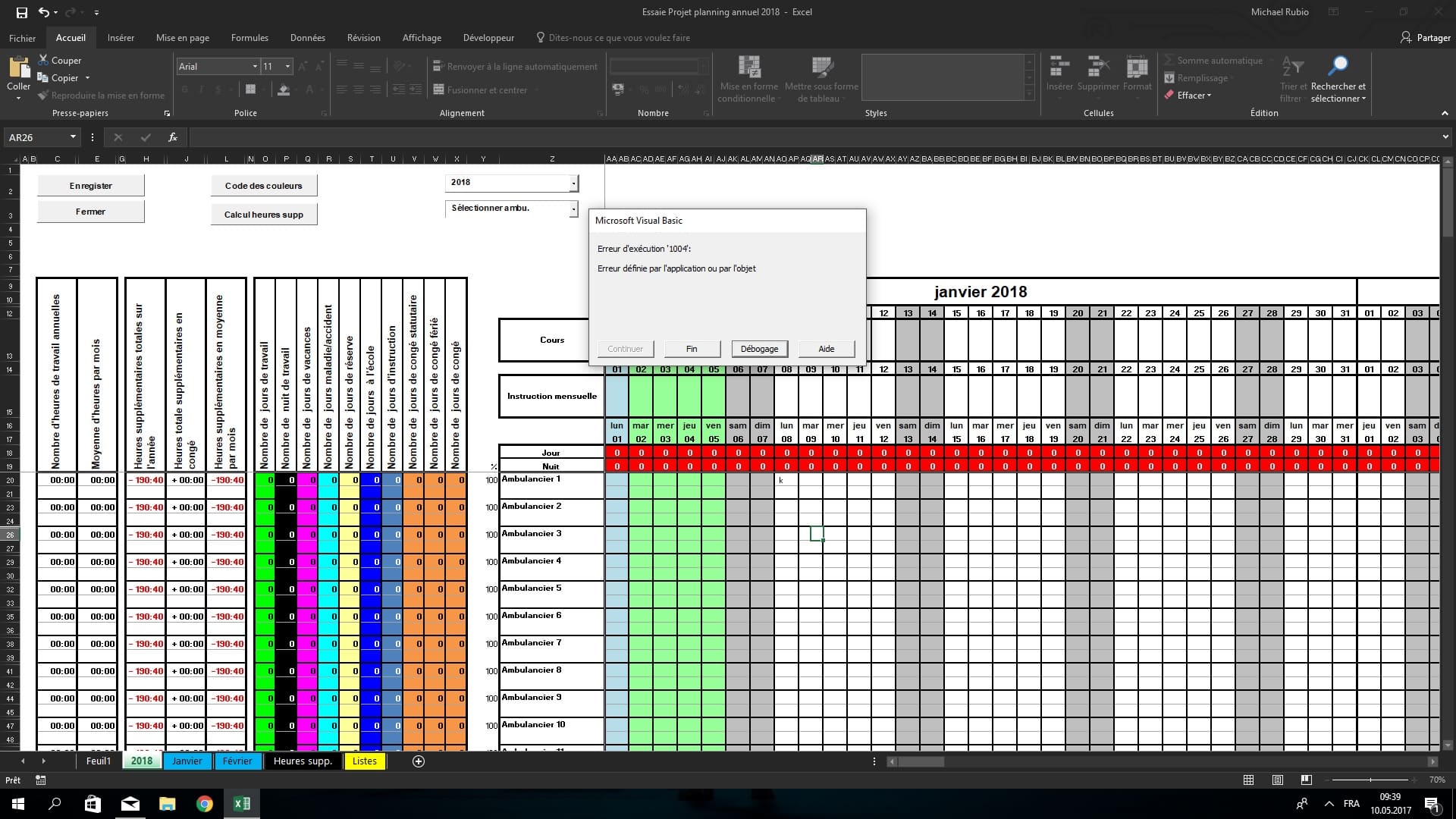
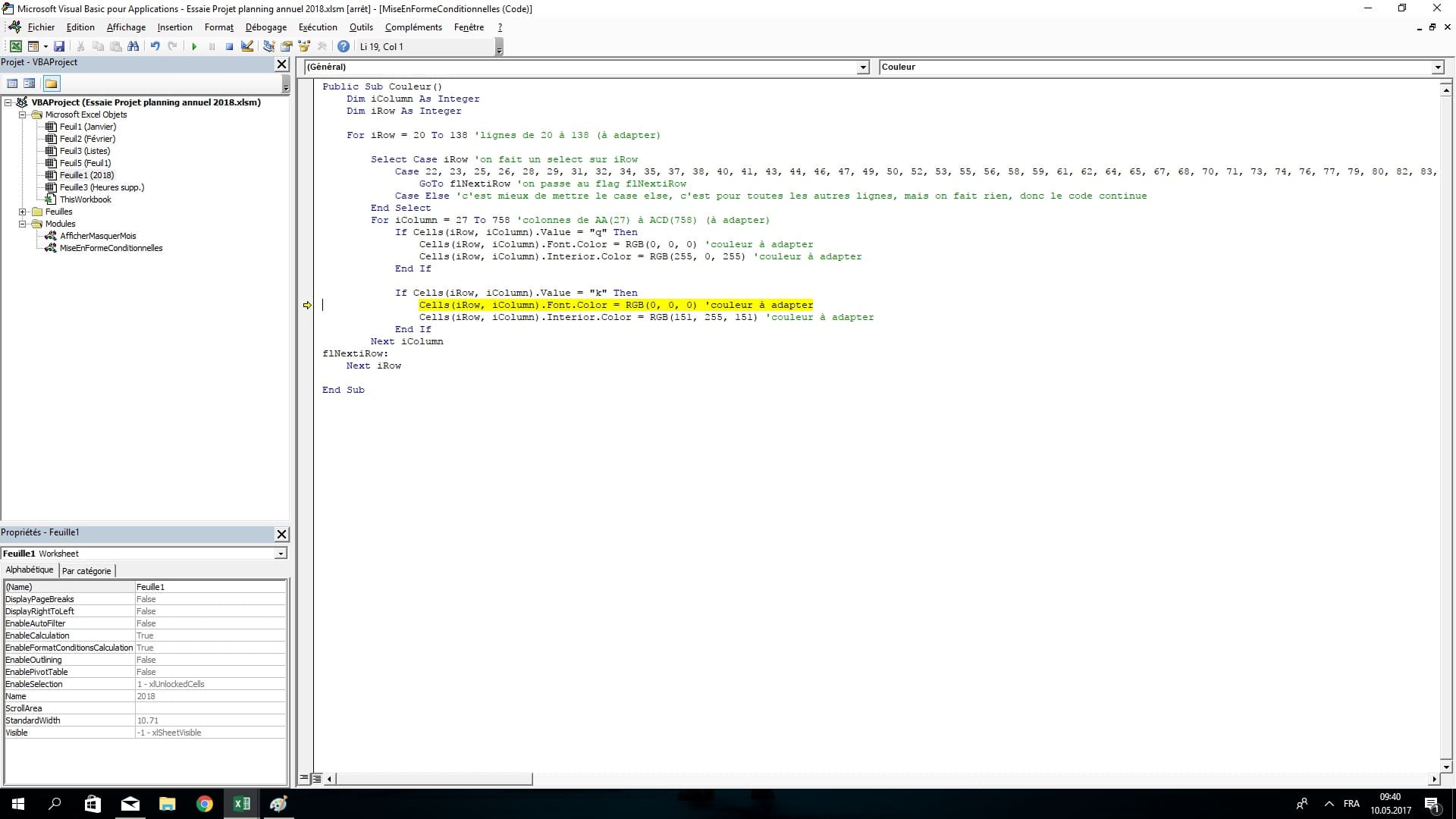
C'est tout bon le problème à été résolu. Il fallait ôter la protection de la feuille
Public Sub Couleur()
    Dim iColumn As Integer
    Dim iRow As Integer

    Application.ScreenUpdating = False

    ThisWorkbook.Worksheets("2018").Unprotect "2018"  'Ôter la protection de la feuille

    For iRow = 20 To 138 'lignes de 20 à 138

        Select Case iRow 'on fait un select sur iRow
            Case 21, 22, 24, 25, 27, 28, 30, 31, 33, 34, 36, 37, 39, 40, 42, 43, 45, 46, 48, 49, 51, 52, 54, 55, 57, 58, 60, 61, 63, 64, 66, 67, 69, 70, 72, 73, 75, 76, 78, 79, 81, 82, 84, 85, 87, 88, 90, 91, 93, 94, 96, 97, 99, 100, 102, 103, 105, 106, 108, 109, 111, 112, 114, 115, 117, 118, 120, 121, 123, 124, 126, 127, 129, 130, 132, 133, 135, 136
                GoTo flNextiRow 'on passe au flag flNextiRow
            Case Else 'c'est mieux de mettre le case else, c'est pour toutes les autres lignes, mais on fait rien, donc le code continue
        End Select
        For iColumn = 27 To 758 'colonnes de AA(27) à ACD(758)
        'Vide
            If Cells(iRow, iColumn).Value = "" Then
                'Cells(iRow, iColumn).Interior.Pattern = xlNone
                Cells(iRow, iColumn).Font.Color = RGB(255, 255, 255)
                Cells(iRow, iColumn).Interior.Color = RGB(255, 255, 255)
            End If
        'Jour
            If Cells(iRow, iColumn).Value = "j" Then
                Cells(iRow, iColumn).Font.Color = RGB(0, 0, 0)
                Cells(iRow, iColumn).Interior.Color = RGB(0, 255, 0)
            End If
        'Nuit
            If Cells(iRow, iColumn).Value = "n" Then
                Cells(iRow, iColumn).Font.Color = RGB(255, 255, 255)
                Cells(iRow, iColumn).Interior.Color = RGB(0, 0, 0)
            End If
        'Vacances
            If Cells(iRow, iColumn).Value = "v" Then
                Cells(iRow, iColumn).Font.Color = RGB(0, 0, 0)
                Cells(iRow, iColumn).Interior.Color = RGB(255, 0, 255)
            End If
        'Vacances Travail
            If Cells(iRow, iColumn).Value = "vt" Then
                Cells(iRow, iColumn).Font.Color = RGB(0, 0, 0)
                Cells(iRow, iColumn).Interior.Color = RGB(255, 0, 255)
            End If
        'Maladie
            If Cells(iRow, iColumn).Value = "m" Then
                Cells(iRow, iColumn).Font.Color = RGB(0, 0, 0)
                Cells(iRow, iColumn).Interior.Color = RGB(0, 255, 255)
            End If
        'Congé
            If Cells(iRow, iColumn).Value = "c" Then
                Cells(iRow, iColumn).Font.Color = RGB(0, 0, 0)
                Cells(iRow, iColumn).Interior.Color = RGB(247, 150, 70)
            End If
        'Congé statutaire
            If Cells(iRow, iColumn).Value = "cs" Then
                Cells(iRow, iColumn).Font.Color = RGB(0, 0, 0)
                Cells(iRow, iColumn).Interior.Color = RGB(247, 150, 70)
            End If
        'Congé férié
            If Cells(iRow, iColumn).Value = "cf" Then
                Cells(iRow, iColumn).Font.Color = RGB(0, 0, 0)
                Cells(iRow, iColumn).Interior.Color = RGB(247, 150, 70)
            End If
        'Congé Réserve
            If Cells(iRow, iColumn).Value = "cr" Then
                Cells(iRow, iColumn).Font.Color = RGB(0, 0, 0)
                Cells(iRow, iColumn).Interior.Color = RGB(250, 191, 143)
            End If
        'Instruction
            If Cells(iRow, iColumn).Value = "i" Then
                Cells(iRow, iColumn).Font.Color = RGB(255, 255, 255)
                Cells(iRow, iColumn).Interior.Color = RGB(83, 141, 213)
            End If
        'Ecole
            If Cells(iRow, iColumn).Value = "e" Then
                Cells(iRow, iColumn).Font.Color = RGB(255, 255, 255)
                Cells(iRow, iColumn).Interior.Color = RGB(0, 0, 255)
            End If
        'Reserve 1
            If Cells(iRow, iColumn).Value = "r1" Then
                Cells(iRow, iColumn).Font.Color = RGB(0, 0, 0)
                Cells(iRow, iColumn).Interior.Color = RGB(255, 255, 153)
            End If
        'Reserve2
            If Cells(iRow, iColumn).Value = "r2" Then
                Cells(iRow, iColumn).Font.Color = RGB(0, 0, 0)
                Cells(iRow, iColumn).Interior.Color = RGB(255, 255, 153)
            End If
        'Reserve 3
            If Cells(iRow, iColumn).Value = "r3" Then
                Cells(iRow, iColumn).Font.Color = RGB(0, 0, 0)
                Cells(iRow, iColumn).Interior.Color = RGB(255, 255, 153)
            End If
        Next iColumn
flNextiRow:
    Next iRow

    ThisWorkbook.Worksheets("2018").Protect "2018"

End Sub