Afficher image avec .htmlbody en VBA hors outlook
g
Bonjour,
je donne ma langue au chat...
j'ai utilise le code suivant :
 Private Sub CommandButton101_Click()

 Dim Ws As Worksheet
 Dim ob As Object
 Dim Pieces, Adresse, ClasseurActif
 Dim OL As Object
 Dim OLmail As Object
 Dim Texte As String

 Sheets("contact").Select
 totalcontact = 1
 Do
 totalcontact = totalcontact + 1
 Loop Until (Range("A" & totalcontact) = "")

 Application.ScreenUpdating = False
 progression = 0

 nbcontact = 1
 Do
 nbcontact = nbcontact + 1
 labelprogession = nbcontact / totalcontact * 100
 progression = 200 * labelprogession / 100
 prenom = Sheets("contact").Range("A" & nbcontact).Value
 Nom = Sheets("contact").Range("B" & nbcontact).Value
 Adresse = Sheets("contact").Range("C" & nbcontact).Value

 Image_barre.Width = progression
 Label_barre.Caption = labelprogession & "%"
 DoEvents

 Application.ScreenUpdating = True

 'envoi du mail
 On Error Resume Next
Set OL = CreateObject("Outlook.Application") Set OLmail = OL.CreateItem(olMailItem) '0

 'enléve les messages d'alerte
 Application.DisplayAlerts = False
 'remet les messages d'alerte
 Application.DisplayAlerts = True
 'réactive le rafraichissement de l'écran
 Application.ScreenUpdating = True

 ' Adresse = "xxxxxxxxxxxxxxxxx@gmail.com" 'pour exemple

 With OLmail
 .From = "xxxxxxxxxxxx@hotmail.com"
 .To = Adresse
 .BodyFormat = olFormatHTML
 .Subject = "HMTL BODY du " & Date

 ' debut du message html
 Const SAUTLIGNE = "<br/>"

 .HTMLBody = "<body>"

 img1 = "1-4.jpg"
 img2 = "2-4.jpg"
 img3 = "3-4.jpg"
 img4 = "4-4.jpg"

 .Attachments.Add ThisWorkbook.Path & "\" & "1-4.jpg", olByValue, 0
 .Attachments.Add ThisWorkbook.Path & "\" & "2-4.jpg", olByValue, 0
 .Attachments.Add ThisWorkbook.Path & "\" & "3-4.jpg", olByValue, 0
 .Attachments.Add ThisWorkbook.Path & "\" & "4-4.jpg", olByValue, 0

 'Ecrit bonjour en gras, calibri, taille 40
 .HTMLBody = .HTMLBody & "<font face=""calibri"" size =""40"" color=""black""> hello <b>Bonjour ! " & prenom & " " & Nom & "</b></font>"
 'Saute deux lignes
 .HTMLBody = .HTMLBody & SAUTLIGNE & SAUTLIGNE
 'Ecrit le reste de l'entete

 .HTMLBody = .HTMLBody & SAUTLIGNE & SAUTLIGNE
 .HTMLBody = .HTMLBody & "<div align='center'><table>"
 .HTMLBody = .HTMLBody & "<tr>"
 .HTMLBody = .HTMLBody & "<td valign='middle'><b>test : <input type='text'>Ligne 1 - cols 1</input></b></td>"
 .HTMLBody = .HTMLBody & "<td valign='middle'><b><img src='" & img1 & "'>"
 .HTMLBody = .HTMLBody & "Ligne 1 - cols 2</b></td>"
 .HTMLBody = .HTMLBody & "<td valign='middle'><b><img src='" & img2 & "'>"
 .HTMLBody = .HTMLBody & "Ligne 1 - cols 3</b></td>"
 .HTMLBody = .HTMLBody & "</tr>"

 .HTMLBody = .HTMLBody & "<tr>"
 .HTMLBody = .HTMLBody & "<td valign='middle'><b><img src='" & img3 & "'>"
 .HTMLBody = .HTMLBody & "Ligne 2 - cols 1</b></td>"
 .HTMLBody = .HTMLBody & "<td valign='middle'><b><img src='" & img4 & "'>"
 .HTMLBody = .HTMLBody & "Ligne 2 - cols 2</b></td>"
 .HTMLBody = .HTMLBody & "<td valign='middle'><b>Ligne 2 - cols 3</b></td>"
 .HTMLBody = .HTMLBody & "</tr>"

 .HTMLBody = .HTMLBody & "</table></div>"

 .HTMLBody = .HTMLBody & "</body>"

 '.Display
 .Save
 .Send 'envoi automatique

 End With

 Loop Until (Range("A" & nbcontact) = "")

 End Sub
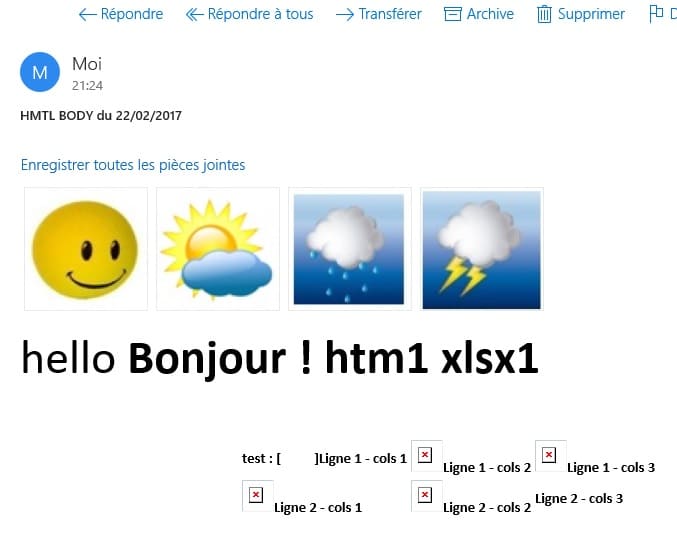
et ca marche..... uniquement sur Outlook.... mais pas sur Hotmail ou courrier ou gmail où les images ne s'affichent pas... et le input text lui uniquement sur Gmail...
que faire pour résoudre ces 2 problèmes ?
Merci.
g
j'ai bien l'impression que je vais devoir m'orienter vers CDO, mais là suis perdu.
N'y-aurait-il pas un tuto ?
g
je vois bien un truc du genre, faut mettre "" et non ' ou "/" et non '/' ou "\" ou '\'....
qu'en pensez vous ?
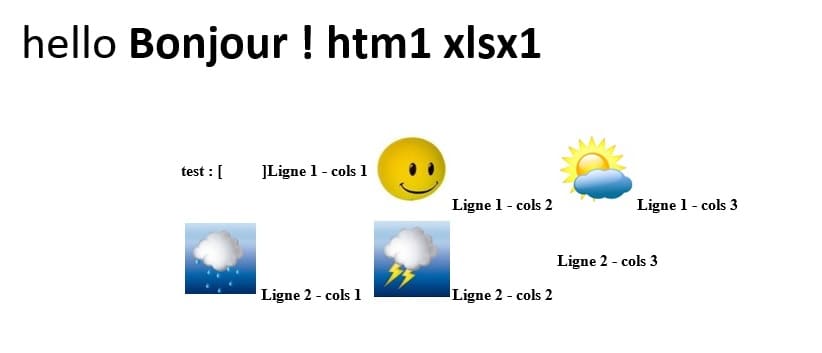
avec gmail, cela donne ca.... l'input text fonctionne..
et sur COURRIER, ca donne ca :